No official connector
Google doesn't offer an MCP server or connector for coding agents like Claude Code or Codex. We found none from Google as of November 2026, so your agent can't reach your video credits on its own.
For Claude Code, Codex and any MCP agent · one-time payment
Content by Agent connects your agent to the AI video credits you already have. Send it a video you love, it rebuilds it, then it cleans the watermark. One private repo. Pay once.
Requires Claude Code, Codex or another MCP client · One-time payment · Unofficial, not affiliated with Google. Read the limits first.
Watch it
With sound. Illustration of a Claude Code session; Claude Code is a product of Anthropic and this product is not affiliated.
The problem
Google doesn't offer an MCP server or connector for coding agents like Claude Code or Codex. We found none from Google as of November 2026, so your agent can't reach your video credits on its own.
Copy a prompt, paste it, wait, download, rename, repeat for every shot. The credits are yours, but the time is spent on clicking.
 India
 South Korea
 Vietnam
Google's help page says a visible watermark is applied automatically to videos for users in these three countries unless they are on the Google One AI Ultra 20x plan. Source: Google's help page
| By hand | With Content by Agent | |
|---|---|---|
| Study a reference video | Watch it and describe it | Agent reads cuts, frames and contact sheets |
| Generate frames and clips | Copy and paste every prompt | Agent runs it through MCP tools |
| Know the cost | Find out after | Priced before every video, with a credit ceiling |
| Download and rename | Click, one file at a time | One tool call |
| Clean the visible watermark | A separate tool or a manual edit | Built in |
How it works
Accept the private repo invite, clone it, run npm install and add it to your agent with one command.
A dedicated Chrome window opens. You sign in to your Google account by hand. The tool never sees your password.
Give your agent an mp4 and say what should change. It does the reading, the generating, the pricing and the cleaning.
# clone the private repo you were invited to
$ git clone <your repo link> contentbyagent
$ cd contentbyagent && npm install

# add it to your agent
$ claude mcp add contentbyagent -- \
    node /path/to/contentbyagent/bin/contentbyagent.js

# check ffmpeg, python, chrome and sign-in
$ node bin/contentbyagent.js doctor
You type
@inspiration.mp4 remake this with a red dump truck
You get
What's inside
video_read opens any video ffmpeg can read (mp4, mov, mkv, webm, avi, gif) and gives your agent its cuts, frames and contact sheets.
Twelve studio_* tools: open projects, generate images and videos, check the price, rename, download and upload.
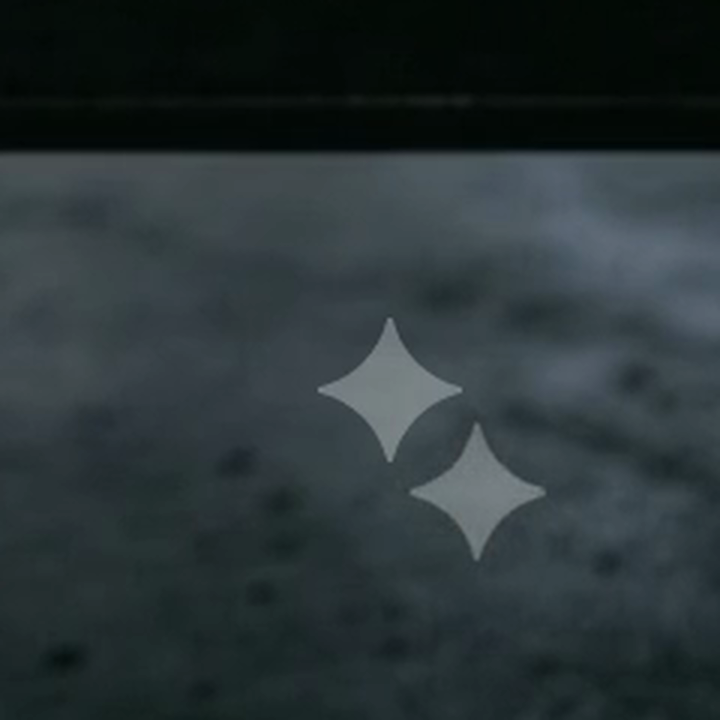
video_clean finds the visible sparkle in every frame, inpaints it and re-encodes the video with its audio in sync.
A skill that teaches your agent the workflow: prompt quality gate, frame and clip review rules, and what to do when a job is blocked.
Models, lengths and prices
The tools read the model list from your account, so a new model shows up without an update. Prices below were read from a Pro-plan account on 7 November 2026. Google changes models and prices, so your agent reads the live price before every video job.
| Model | Credits | Aspect ratios | Tested |
|---|---|---|---|
| Nano Banana Pro | 0 | 16:9 · 4:3 · 1:1 · 3:4 · 9:16 | Image generated |
| Nano Banana 2.1 | 0 | 16:9 · 4:3 · 1:1 · 3:4 · 9:16 | Image generated |
| Nano Banana 2 Lite | 0 | 16:9 · 4:3 · 1:1 · 3:4 · 9:16 | Image generated |
1 to 4 images per job. Reference images by name are supported. Nano Banana 2.1 also has a thinking level in the studio; the tools use whatever is selected there.
| Model | Length | Resolution | Credits | Tested |
|---|---|---|---|---|
| Omni 1.2 Flash newest | 3 to 15 s, in 1 s steps | 360p · 720p | 720p: 9 (3 s) · 12 (4 s) · 30 (10 s) · 60 (15 s) 360p: 3 (3 s) · 4 (4 s) · 10 (10 s) · 20 (15 s) | Priced and generated |
| Omni 1.1 Flash Leaving Dec 5 | 4 · 6 · 8 · 10 s | 360p · 720p | 720p: 7 · 10 · 12 · 15 360p: 4 · 5 · 6 · 7 | Priced and generated |
| Veo 3.1 Lite | 8 s | 720p | 10 | Priced and generated |
| Veo 3.1 Fast Leaving Dec 5 | 8 s | 720p | 20 | Priced and generated |
| Veo 3.1 Quality Leaving Dec 5 | 8 s | 720p | 100 | Priced and generated |
Real output
The corner of a raw 720p clip, enlarged 3×, before and after the watermark engine. A soft smudge can remain where the star was; it is not visible on moving footage at phone size.
It removes the visible sparkle only. Google's invisible SynthID mark stays in the file, and we recommend you use each platform's AI label when you post. More limits
 BeforeAfter
Read this before you buy
Pricing
Preview price. Set PRICE and CHECKOUT_URL in app.js to go live.
video_readvideo_cleanYou need a GitHub account, Node 18.17+, Google Chrome, Python 3.9+, ffmpeg (with ffprobe) and a Google account that can open Google Flow.
Questions
We found none as of November 2026. Community projects exist, and this is one of them, with a video reader and a watermark engine added.
Not credit-free. Images cost 0 credits at November 2026 prices, but video clips spend credits from your own plan (a 4 s clip at 720p costs 12 on Omni 1.2 Flash and 7 on Omni 1.1 Flash). Google sets the prices and the daily allowance. This tool sells no credits and prices every video job before it runs.
Google's help page says India, South Korea and Vietnam, unless you are on the Google One AI Ultra 20x plan. Other users see a visible-watermark setting in their profile menu. Check Google's page for the current rule, because it can change.
No. It removes the visible sparkle only. Google's invisible SynthID mark stays in the file, and we recommend using each platform's AI label when you post.
It runs as a stdio MCP server, so it works in Claude Code, Codex and any client that can run one. Chrome must stay open on the same machine.
It reads the structure of the reference, such as cuts, shot types and pacing, and generates new footage with the changes you ask for. You are responsible for having the right to use any reference you send.
It could. Automating a website may go against Google's terms, and Google can limit an account it considers to be misusing the service. Read Google's terms before you use it on an account you care about.
Every image and video model your account lists. The tools read the list from the page, so new models appear without an update. See the Models section for lengths, resolutions and credit prices. We tested all three image models and all five video models on our own account.
It is tuned for 9:16 videos at 720×1280 and 1080×1920. For other formats you set the star's position once.
It was tested on Windows. The macOS and Linux Chrome paths are in the code but have not been tested yet.
After checkout you get a read-only invite to the private GitHub repo, sent to your GitHub account.